DataSetFilters.clip_surface#
- DataSetFilters.clip_surface(
- surface: DataSet | _vtk.vtkDataSet,
- invert: bool = True,
- value: float = 0.0,
- compute_distance: bool = False,
- progress_bar: bool = False,
- crinkle: bool = False,
Clip any mesh type using a
pyvista.PolyDatasurface mesh.The clipped mesh type matches the input type for
PointSetandPolyData, otherwise the output type isUnstructuredGrid. Geometry of the input dataset will be preserved where possible. Geometries near the clip intersection will be triangulated/tessellated.- Parameters:
- surface
pyvista.PolyData The
PolyDatasurface mesh to use as a clipping function. If this input mesh is not apyvista.PolyData, the external surface will be extracted.- invertbool, default:
True Flag on whether to flip/invert the clip.
- value
float, default: 0.0 Set the clipping value of the implicit function (if clipping with implicit function) or scalar value (if clipping with scalars).
- compute_distancebool, default:
False Compute the implicit distance from the mesh onto the input dataset. A new array called
'implicit_distance'will be added to the output clipped mesh.- progress_barbool, default:
False Display a progress bar to indicate progress.
- crinklebool, default:
False Crinkle the clip by extracting the entire cells along the clip. This adds the
"cell_ids"array to thecell_dataattribute that tracks the original cell IDs of the original dataset.
- surface
- Returns:
DataSetClipped mesh. Output type matches input type for
PointSet,PolyData, andMultiBlock; otherwise the output type isUnstructuredGrid.
Examples
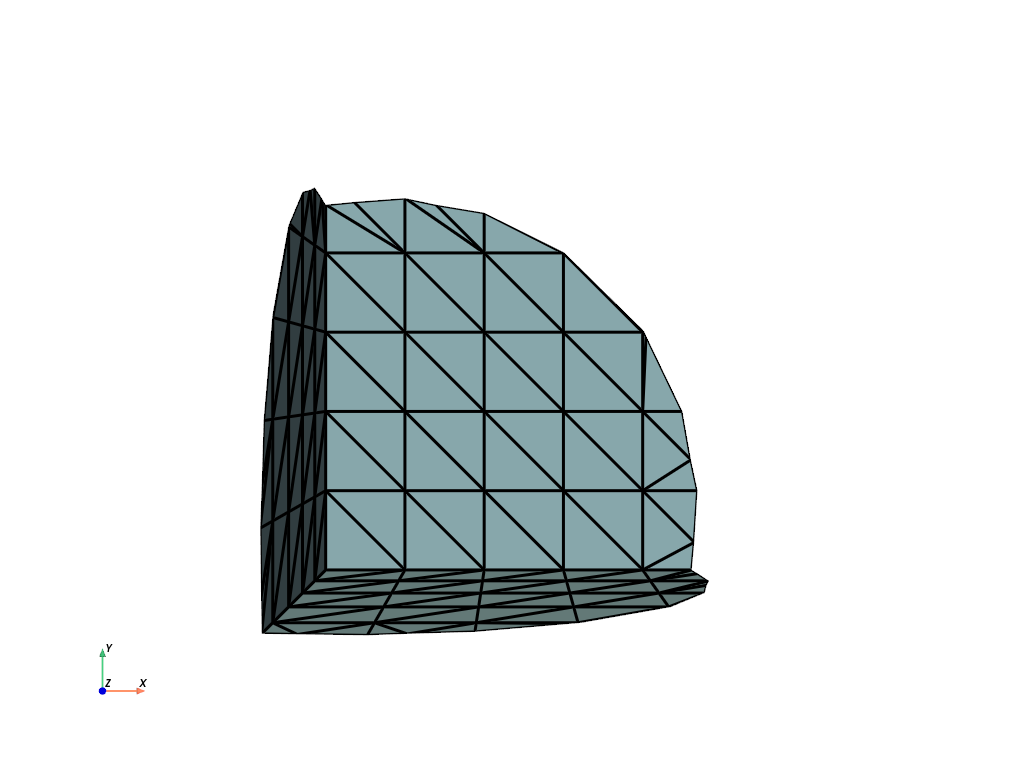
Clip a cube with a sphere.
>>> import pyvista as pv
>>> sphere = pv.Sphere(center=(-0.4, -0.4, -0.4))
>>> cube = pv.Cube().triangulate().subdivide(3)
>>> clipped = cube.clip_surface(sphere)
>>> clipped.plot(show_edges=True, cpos='xy', line_width=3)
See Clipping with a Surface for more examples using this filter.