pyvista.CubeAxesActor#
- class CubeAxesActor(*args, **kwargs)[ソース]#
Wrap vtkCubeAxesActor.
This class is created to wrap vtkCubeAxesActor, which is used to draw axes and labels for the input data bounds. This wrapping aims to provide a user-friendly interface to use vtkCubeAxesActor.
- パラメータ:
- camera
pyvista.Camera 軸アクタにリンクさせるカメラ.
- minor_ticksbool, default:
False Trueの場合は,すべての軸に細かい刻みをプロットします.- tick_location
str,optional 軸グリッドにティックを描画する方法を設定します.以下のオプションがあります:
'inside', 'outside', 'both'.- x_title
str, default: "X Axis" Title of the x-axis.
- y_title
str, default: "Y Axis" Title of the y-axis.
- z_title
str, default: "Z Axis" Title of the z-axis.
- x_axis_visibilitybool, default:
True x軸の表示.
- y_axis_visibilitybool, default:
True y軸の表示.
- z_axis_visibilitybool, default:
True z軸の表示.
- x_label_format
str,optional A format string defining how tick labels are generated from tick positions for the x-axis. Defaults to the theme format if set, otherwise
'{0:.1f}'.- y_label_format
str,optional A format string defining how tick labels are generated from tick positions for the y-axis. Defaults to the theme format if set, otherwise
'{0:.1f}'.- z_label_format
str,optional A format string defining how tick labels are generated from tick positions for the z-axis. Defaults to the theme format if set, otherwise
'{0:.1f}'.- x_label_visibilitybool, default:
True x軸ラベルの表示.
- y_label_visibilitybool, default:
True y軸ラベルの表示.
- z_label_visibilitybool, default:
True z軸ラベルの表示.
- n_xlabels
int, default: 5 x軸に沿ったラベルの数.
- n_ylabels
int, default: 5 y軸に沿ったラベルの数.
- n_zlabels
int, default: 5 z軸に沿ったラベルの数.
- camera
参考
show_bounds()show_grid()- 軸オブジェクト
異なる軸のオブジェクトを示す例です。
例
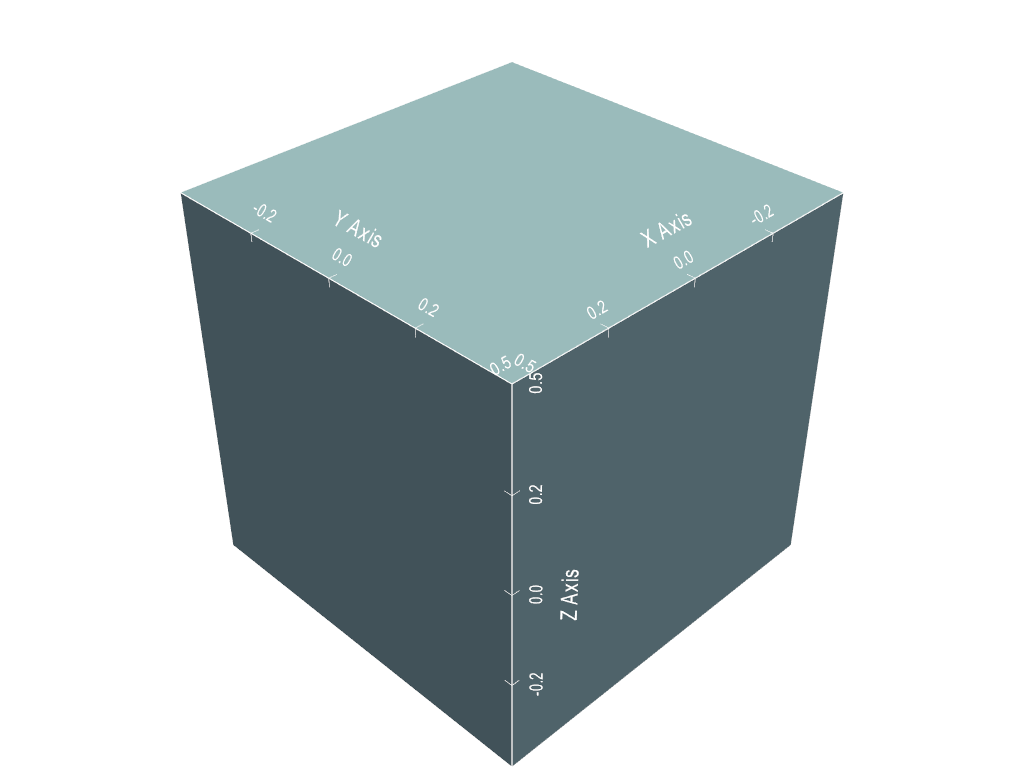
3Dプロッターを作成し,CubeAxesActorを追加します.
>>> import pyvista as pv
>>> mesh = pv.Cube()
>>> pl = pv.Plotter()
>>> actor = pl.add_mesh(mesh)
>>> cube_axes_actor = pv.CubeAxesActor(pl.camera)
>>> cube_axes_actor.bounds = mesh.bounds
>>> actor, property = pl.add_actor(cube_axes_actor)
>>> pl.show()
メソッド#
|
アクターの境界を更新します. |
アトリビュート#
境界ボックスの中心を返すか設定します. |
|
スケーリングや移動を行うカメラを返すか設定します. |
|
Return the center. |
|
ラベルと軸の間の距離を返す,または設定します. |
|
Number of labels on the x-axis. |
|
Number of labels on the y-axis. |
|
Number of labels on the z-axis. |
|
軸のグリッドに刻みをどのように描くかを返すか設定します. |
|
タイトルとラベルの間の距離を返すか設定します. |
|
2Dレンダーモードを使用します. |
|
x軸の最小目盛りの表示/非表示を設定します. |
|
Return or set the x-axis range. |
|
x軸の表示を取得または設定します. |
|
Return or set the label of the x-axis. |
|
x軸ラベルの表示を取得または設定します. |
|
Return the x-axis labels. |
|
Return or set the title of the x-axis. |
|
y軸の最小目盛りの表示/非表示を設定します. |
|
Return or set the y-axis range. |
|
y軸の表示を取得または設定します. |
|
Return or set the label of the y-axis. |
|
y軸ラベルの表示を取得または設定します. |
|
Return the y-axis labels. |
|
Return or set the title of the y-axis. |
|
z軸の最小目盛りの表示/非表示を設定します. |
|
Return or set the z-axis range. |
|
y軸の表示を取得または設定します. |
|
Return or set the label of the z-axis. |
|
z軸ラベルの表示を取得または設定します. |
|
Return the z-axis labels. |
|
z軸のタイトルを取得または設定します. |