注釈
Go to the end をクリックすると完全なサンプルコードをダウンロードできます.
字形表#
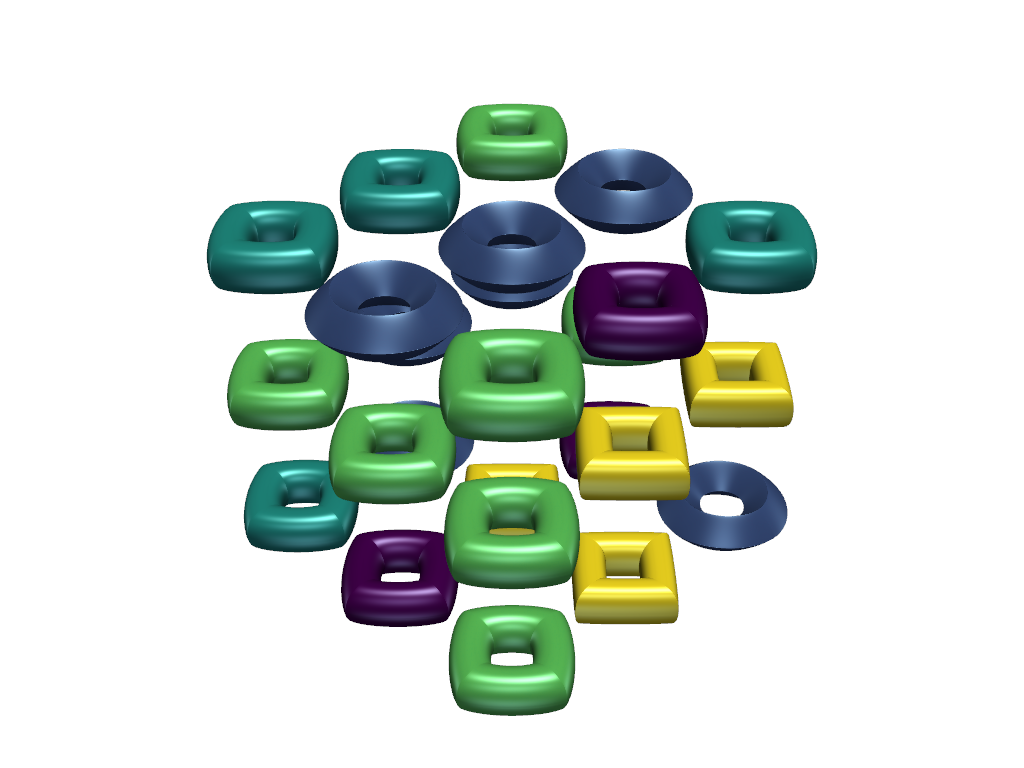
vtk は,字形が検索される字形のテーブルをサポートします.この例では,この機能を示します.
from __future__ import annotations

import numpy as np
import pyvista as pv
pyvista.DataSetFilters.glyph() の geom kwargとして渡されるジオメトリのシーケンスと単一 (スカラー) ジオメトリを許可することによって,下位互換性のある方法でグリフのテーブルを許可することができます. indices オプションキーワードはテーブル内の各グリフジオメトリのインデックスを指定し,指定された場合は geom と同じ長さである必要があります.省略した場合は, range(len(geom)) のデフォルト値が想定されます.
# get dataset for the glyphs: supertoroids in xy plane
# use N random kinds of toroids over a mesh with 27 points
N = 5
values = np.arange(N)  # values for scalars to look up glyphs by


# taken from:
# rng = np.random.default_rng()
# params = rng.uniform(0.5, 2, size=(N, 2))  # (n1, n2) parameters for the toroids
params = np.array(
    [
        [1.56821334, 0.99649769],
        [1.08247844, 1.83758874],
        [1.49598881, 0.83495047],
        [1.52442129, 0.89600688],
        [1.92212387, 0.78096621],
    ],
)

geoms = [pv.ParametricSuperToroid(n1=n1, n2=n2) for n1, n2 in params]

# get dataset where to put glyphs
x, y, z = np.mgrid[:3.0, :3.0, :3.0]
mesh = pv.StructuredGrid(x, y, z)

# add random scalars
# rng_int = rng.integers(0, N, size=x.size)
rng_int = np.array(
    [4, 1, 2, 0, 4, 0, 1, 4, 3, 1, 1, 3, 3, 4, 3, 4, 4, 3, 3, 2, 2, 1, 1, 1, 2, 0, 3],
)
mesh.point_data['scalars'] = rng_int

# construct the glyphs on top of the mesh; don't scale by scalars now
glyphs = mesh.glyph(
    geom=geoms, indices=values, scale=False, factor=0.3, rng=(0, N - 1), orient=False
)

# create plotter and add our glyphs with some nontrivial lighting
pl = pv.Plotter()
pl.add_mesh(
    glyphs, specular=1, specular_power=15, smooth_shading=True, show_scalar_bar=False
)
pl.show()
Total running time of the script: (0 minutes 2.478 seconds)