注釈
Go to the end をクリックすると完全なサンプルコードをダウンロードできます.
地形図#
これは テクスチャを適用する の例と非常に似ていますが,地形メッシュの上にGeoTIFFからの航空画像をプロットすることに焦点を当てています.
from __future__ import annotations

import matplotlib as mpl
import matplotlib.pyplot as plt
import pyvista as pv
from pyvista import examples
まずは標高データと地形図を読み込むことから始めましょう.
# Load the elevation data as a surface
topo = examples.download_crater_topo().resample(0.5, anti_aliasing=True)
elevation = topo.warp_by_scalar()
# Load the topographic map from a GeoTiff
topo_map = examples.download_crater_imagery()
topo_map.to_image().resample(0.5, anti_aliasing=True, inplace=True)
topo_map = topo_map.flip_y()  # flip to align to our dataset

elevation
先ほど読み込んだイメージを点検してみましょう.
mpl.rcParams['figure.dpi'] = 500
plt.imshow(topo_map.to_array())
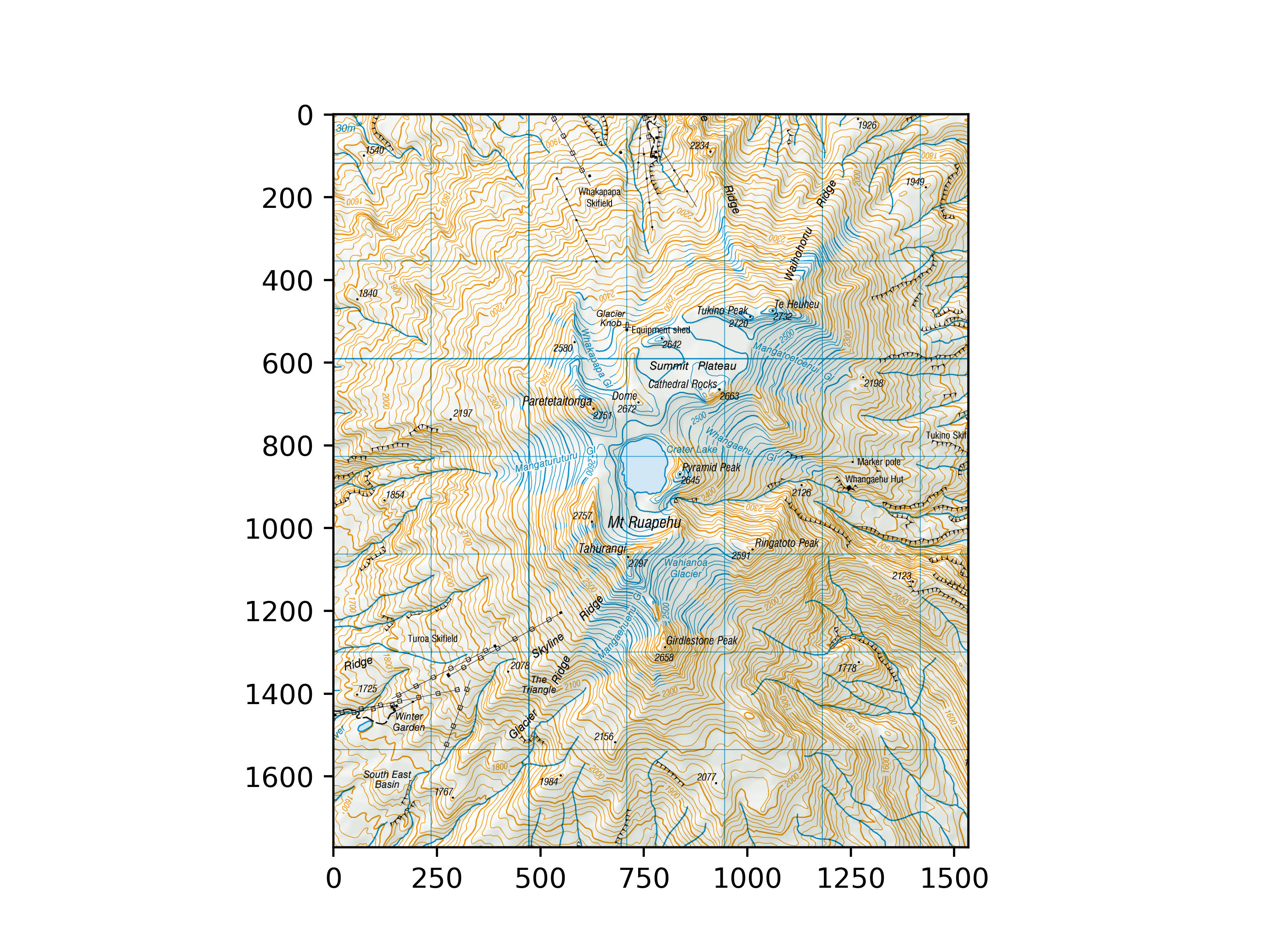
<matplotlib.image.AxesImage object at 0x7f55989c01a0>
サーフェスメッシュ(ここでは pyvista.StructuredGrid を使います)として地形メッシュをロードし, pyvista.read_texture() を使用して:class:pyvista.Texture としてイメージをロードしたら,次のようにイメージをサーフェスメッシュにマッピングできます.
# Bounds of the aerial imagery - given to us
bounds = (1818000, 1824500, 5645000, 5652500, 0, 3000)
# Clip the elevation dataset to the map's extent
local = elevation.clip_box(bounds, invert=False)
# Apply texturing coordinates to associate the image to the surface
local.texture_map_to_plane(use_bounds=True, inplace=True)
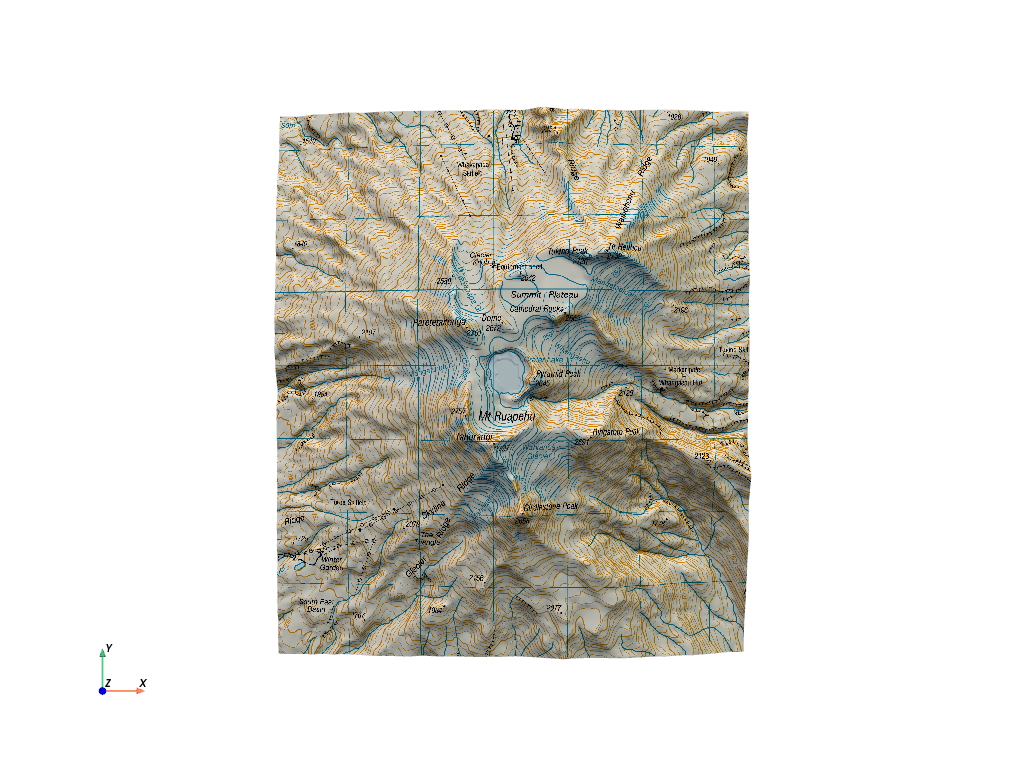
表示します.イメージが予想どおりに調整されていることに注意してください.
local.plot(texture=topo_map, cpos='xy')
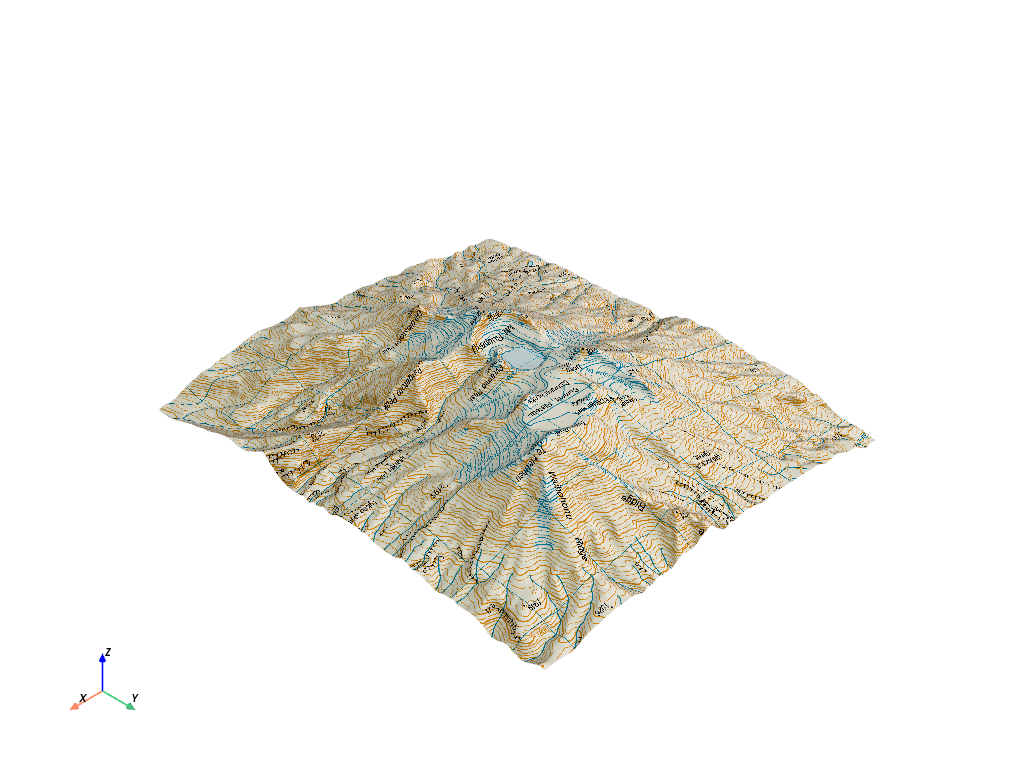
これが3 D遠近法です.
local.plot(texture=topo_map)
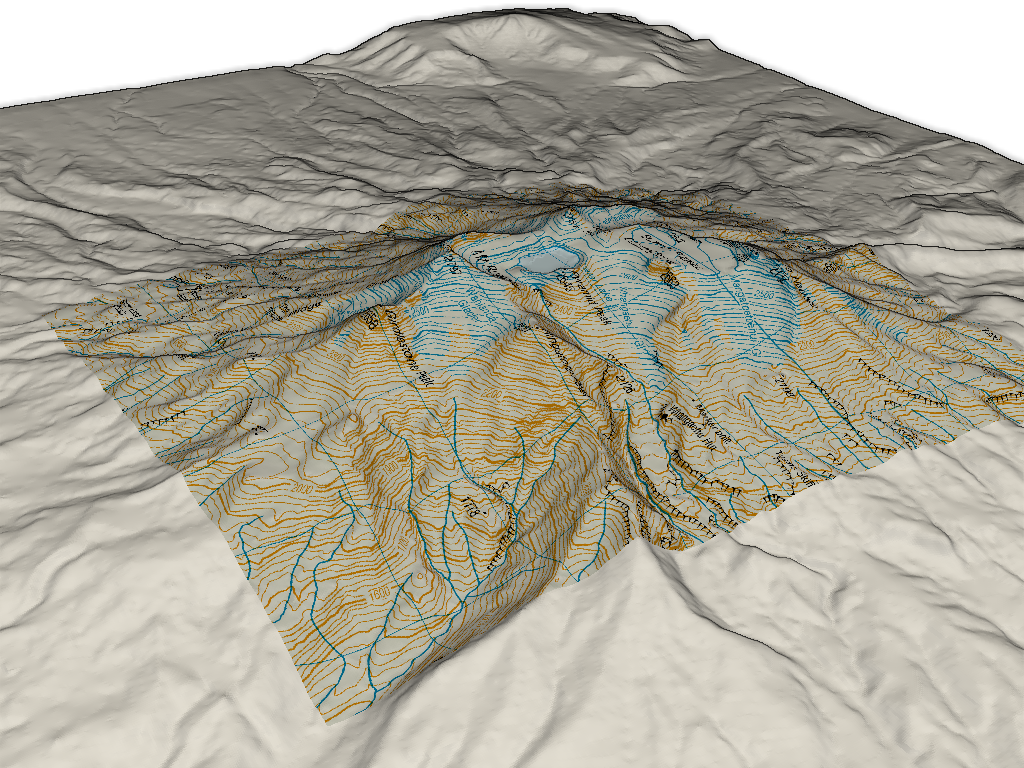
また,周辺領域を抽出し,テクスチャマッピングされた局所的な地形と外部領域をプロットすることによって,領域全体を表示することもできます.
# Extract surrounding region from elevation data
surrounding = elevation.clip_box(bounds, invert=True)

# Display with a shading technique
pl = pv.Plotter()
pl.add_mesh(local, texture=topo_map)
pl.add_mesh(surrounding, color='white')
pl.enable_eye_dome_lighting()
pl.camera_position = pv.CameraPosition(
    position=(1831100.0, 5642142.0, 8168.0),
    focal_point=(1820841.0, 5648745.0, 1104.0),
    viewup=(-0.435, 0.248, 0.865),
)
pl.show()
Total running time of the script: (0 minutes 8.823 seconds)