pyvista.AxesActor#
- class AxesActor(*args, **kwargs)[ソース]#
vtkAxesActor の軸のアクターラッパーです.
シーン内の3D軸を表現するために使用される2D/3Dハイブリッドアクターです.ユーザーは,シャフトまたはチップに使用するジオメトリを定義でき,3 つの軸のテキストを設定できます.完全なカスタマイズ オプションを見るには, vtkAxesActor を参照してください.
参考
AxesAssembly- 軸オブジェクト
異なる軸のオブジェクトを示す例です。
例
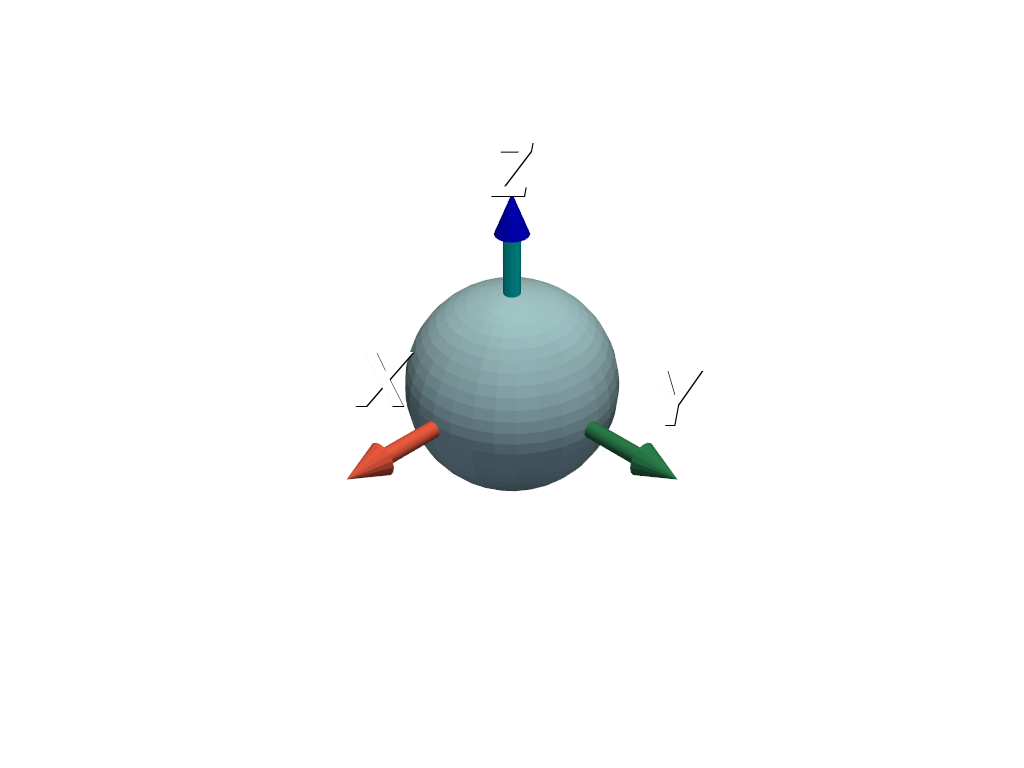
軸の色や形をカスタマイズします.
>>> import pyvista as pv
>>> axes = pv.Axes()
>>> axes.axes_actor.z_axis_shaft_properties.color = (0.0, 1.0, 1.0)
>>> axes.axes_actor.shaft_type = axes.axes_actor.ShaftType.CYLINDER
>>> pl = pv.Plotter()
>>> _ = pl.add_actor(axes.axes_actor)
>>> _ = pl.add_mesh(pv.Sphere())
>>> pl.show()
または,
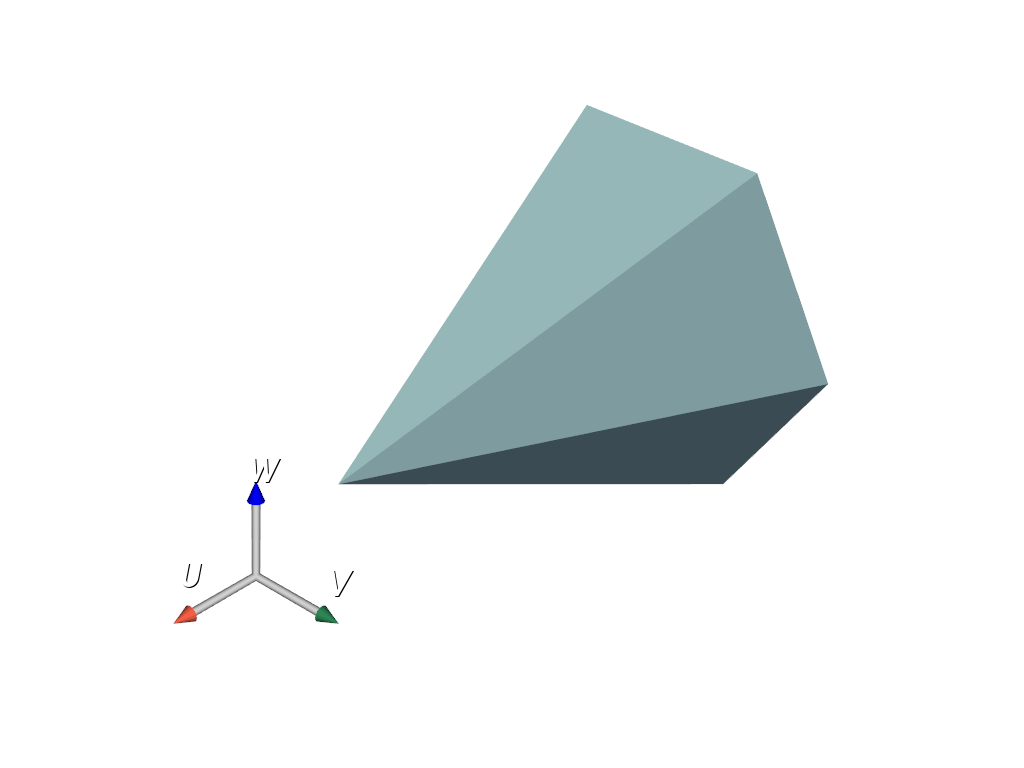
add_orientation_widget()でカスタムオリエンテーションウィジェットとして使用できます:>>> import pyvista as pv
>>> axes = pv.Axes()
>>> axes_actor = axes.axes_actor
>>> axes.axes_actor.shaft_type = 0
>>> axes_actor.x_axis_shaft_properties.color = (1.0, 1.0, 1.0)
>>> axes_actor.y_axis_shaft_properties.color = (1.0, 1.0, 1.0)
>>> axes_actor.z_axis_shaft_properties.color = (1.0, 1.0, 1.0)
>>> axes_actor.x_label = 'U'
>>> axes_actor.y_label = 'V'
>>> axes_actor.z_label = 'W'
>>> pl = pv.Plotter()
>>> _ = pl.add_mesh(pv.Cone())
>>> _ = pl.add_orientation_widget(
...     axes_actor,
...     viewport=(0, 0, 0.5, 0.5),
... )
>>> pl.show()
メソッド#
アトリビュート#
境界ボックスを返します. |
|
Return the center. |
|
円錐の先端の半径を返すか設定します. |
|
円錐の解像度を返すか設定します. |
|
軸筒の先端の半径を返すか設定します. |
|
軸筒の先端の解像度を返すか設定します. |
|
軸に沿ったラベルの位置. |
|
Return or set the axes labels. |
|
軸の長さを取得または設定します. |
|
シャフトの種類を返すか設定します. |
|
球体の先端の半径を返すか設定します. |
|
球体の先端の解像度を返すか設定します. |
|
チップの長さを取得または設定します. |
|
シャフトの種類を返すか設定します. |
|
全軸の長さを取得または設定します. |
|
AxesActorの表示を返すか設定します. |
|
Return or set the properties of the x-axis shaft. |
|
Return or set the properties of the x-axis tip. |
|
Return or set the label for the x-axis. |
|
Return or set the properties of the y-axis shaft. |
|
Return or set the properties of the y-axis tip. |
|
Return or set the label for the y-axis. |
|
Return or set the properties of the z-axis shaft. |
|
Return or set the properties of the z-axis tip. |
|
Return or set the label for the z-axis. |