注釈
Go to the end をクリックすると完全なサンプルコードをダウンロードできます.
回転#
Rotations of a mesh about its axes using
rotate_x(),
rotate_y(), and
rotate_z().
In this model, the x axis is from the left to right;
the y axis is from bottom to top; and the z axis emerges from the
image. The camera location is the same in all four images.
from __future__ import annotations

import pyvista as pv
from pyvista import examples
Define camera position and axes#
Define camera position and axes. Setting axes origin to (3.0, 3.0, 3.0).
mesh = examples.download_cow()
mesh.points /= 1.5  # scale the mesh

cpos = [
    (30.0, 30.0, 30.0),  # position
    (5.0, 5.0, 5.0),  # focal point
    (0.0, 1.0, 0.0),  # view up
]


axes = pv.Axes(show_actor=True, actor_scale=2.0, line_width=5)
axes.origin = (3.0, 3.0, 3.0)
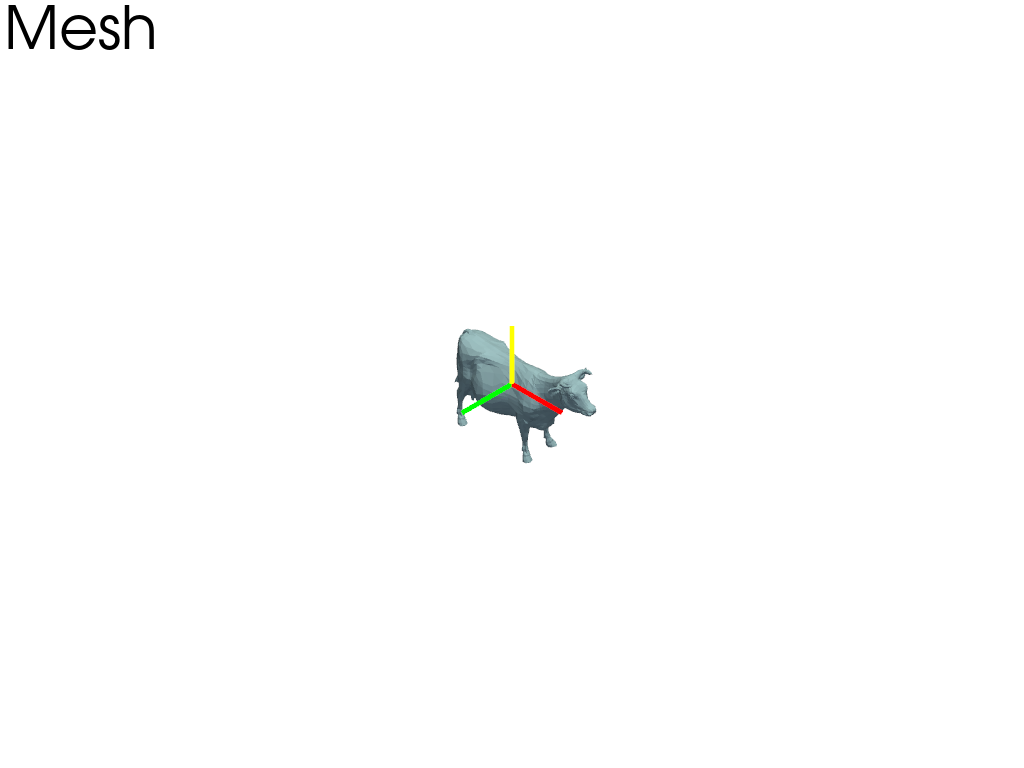
元のメッシュ#
元のメッシュをプロットします.プロッタに軸アクターを追加します.
pl = pv.Plotter()

pl.add_text('Mesh', font_size=24)
pl.add_actor(axes.actor)
pl.add_mesh(mesh)

pl.show(cpos=cpos)
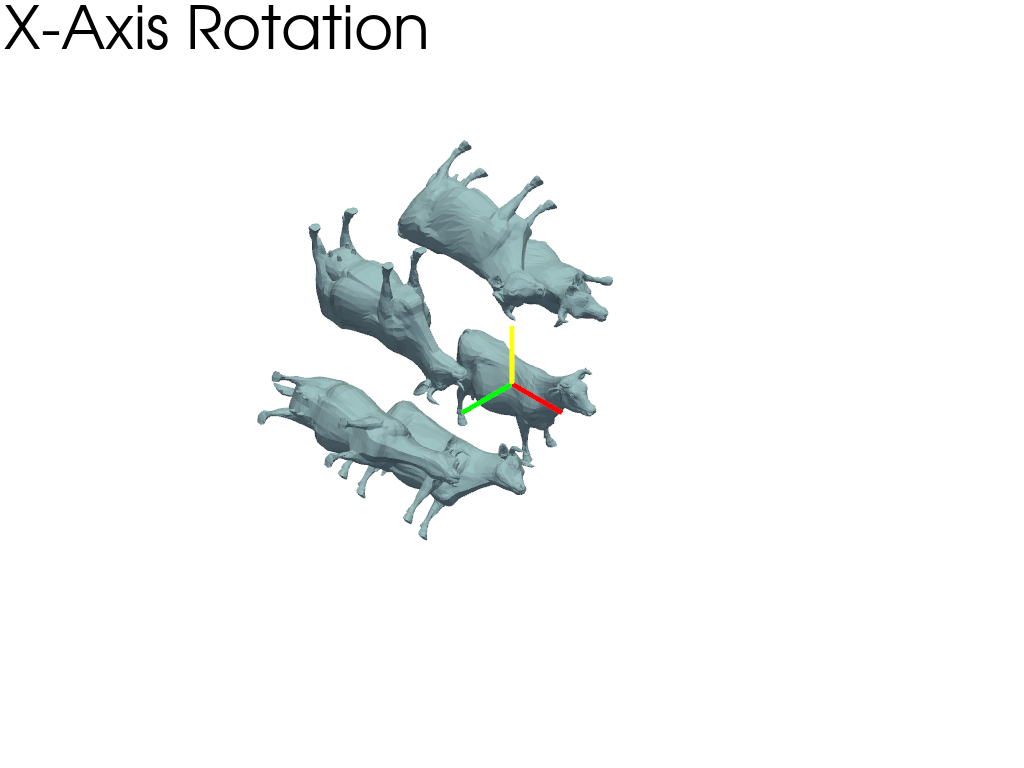
x軸を中心の回転.#
x軸を中心に60度ごとに回転したメッシュをプロットします.プロッタに軸アクターを追加し,軸の原点を回転点に設定します.
pl = pv.Plotter()

pl.add_text('X-Axis Rotation', font_size=24)
pl.add_actor(axes.actor)

for i in range(6):
    rot = mesh.rotate_x(60 * i, point=axes.origin, inplace=False)
    pl.add_mesh(rot)

pl.show(cpos=cpos)
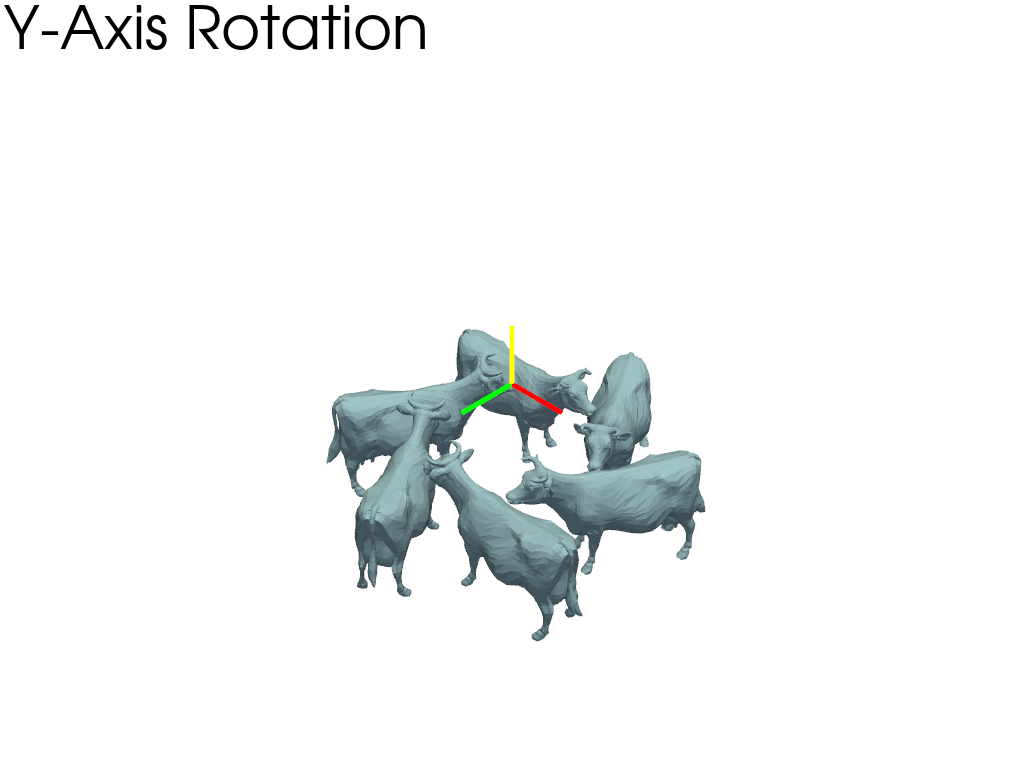
y軸を中心の回転.#
y軸を中心に60度ごとに回転したメッシュをプロットします.プロッタに軸アクターを追加し,軸の原点を回転点に設定します.
pl = pv.Plotter()

pl.add_text('Y-Axis Rotation', font_size=24)
pl.add_actor(axes.actor)

for i in range(6):
    rot = mesh.rotate_y(60 * i, point=axes.origin, inplace=False)
    pl.add_mesh(rot)

pl.show(cpos=cpos)
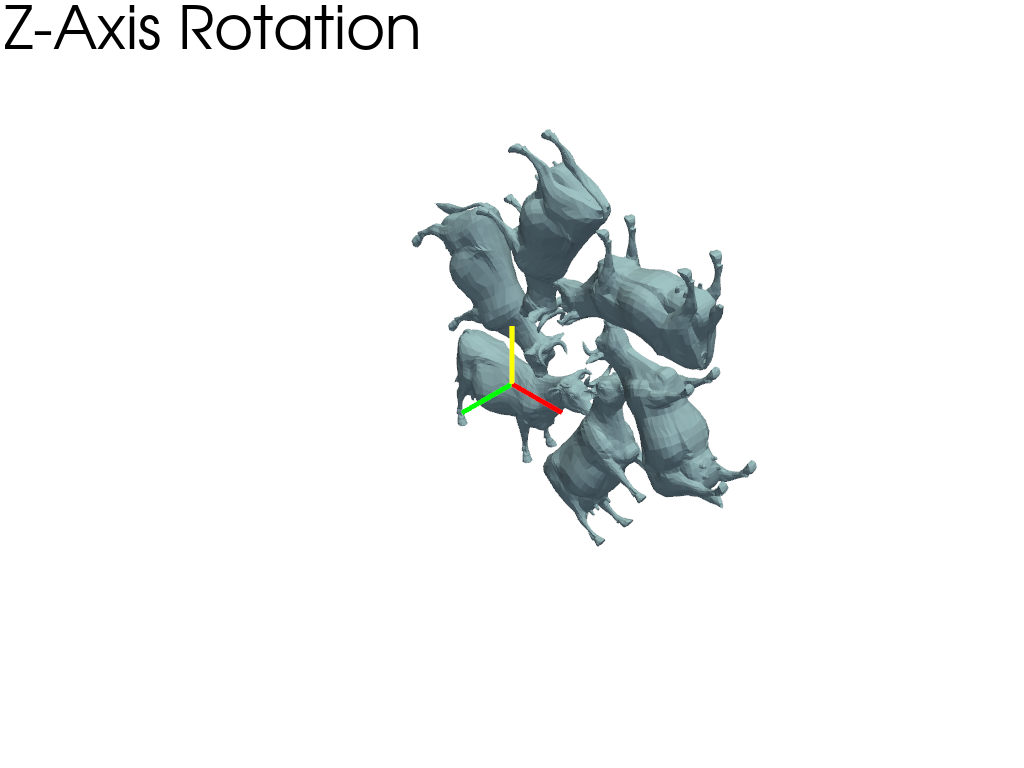
z軸を中心の回転.#
z軸を中心に60度ごとに回転したメッシュをプロットします.プロッタに軸アクターを追加し,軸の原点を回転点に設定します.
pl = pv.Plotter()

pl.add_text('Z-Axis Rotation', font_size=24)
pl.add_actor(axes.actor)

for i in range(6):
    rot = mesh.rotate_z(60 * i, point=axes.origin, inplace=False)
    pl.add_mesh(rot)

pl.show(cpos=cpos)
ベクトル中心の回転.#
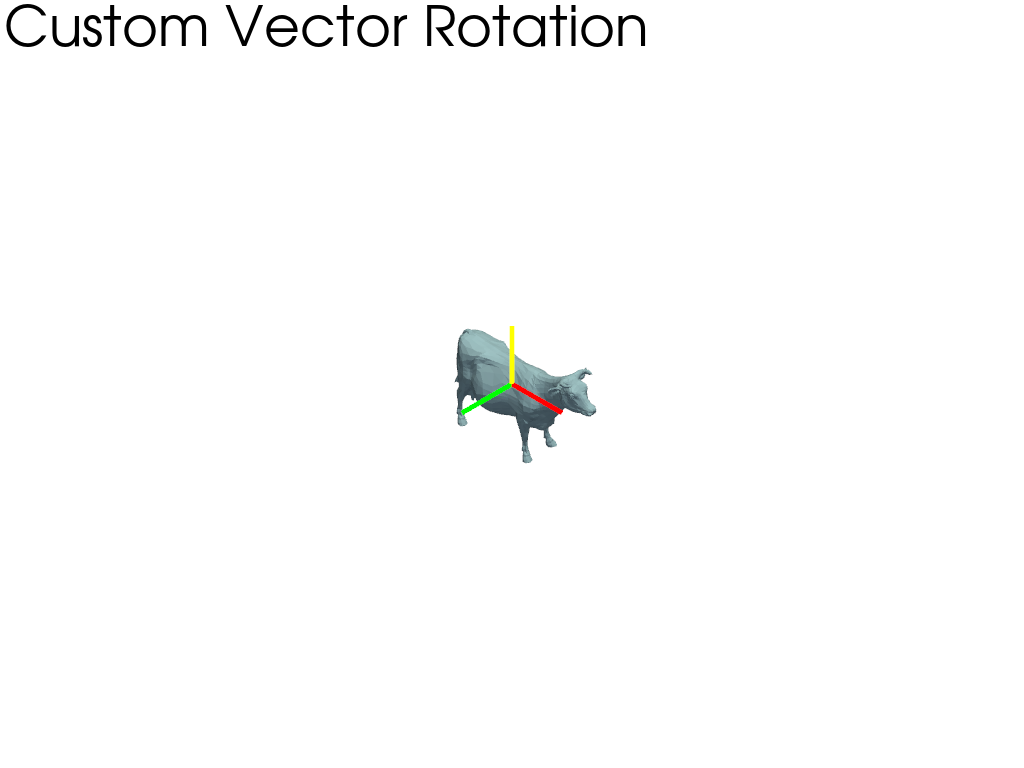
カスタムベクトルを中心に60度ごとに回転させたメッシュをプロットします.プロッタに軸アクターを追加し,軸の原点を回転点に設定します.
pl = pv.Plotter()

pl.add_text('Custom Vector Rotation', font_size=24)
pl.add_actor(axes.actor)
for i in range(6):
    rot = mesh.copy()
    rot.rotate_vector(vector=(1, 1, 1), angle=60 * i, point=axes.origin)
    pl.add_mesh(rot)

pl.show(cpos=cpos)
Total running time of the script: (0 minutes 1.300 seconds)