Extract Surface#
Download Python source code | Download Jupyter notebook
Extract nearly any object surface with extract_surface().
import numpy as np
import pyvista as pv
Surface Extraction of Nonlinear Cells#
Here we create a single QUADRATIC_HEXAHEDRON cell and then
extract its surface to demonstrate how to extract the surface of an
UnstructuredGrid. First define points of a linear cell:
Next, define the “mid-side” points of a quad cell. See the definition of a vtkQuadraticHexahedron.
quad_pts = np.array(
    [
        (lin_pts[1] + lin_pts[0]) / 2,  # between point 0 and 1
        (lin_pts[1] + lin_pts[2]) / 2,  # between point 1 and 2
        (lin_pts[2] + lin_pts[3]) / 2,  # and so on...
        (lin_pts[3] + lin_pts[0]) / 2,
        (lin_pts[4] + lin_pts[5]) / 2,
        (lin_pts[5] + lin_pts[6]) / 2,
        (lin_pts[6] + lin_pts[7]) / 2,
        (lin_pts[7] + lin_pts[4]) / 2,
        (lin_pts[0] + lin_pts[4]) / 2,
        (lin_pts[1] + lin_pts[5]) / 2,
        (lin_pts[2] + lin_pts[6]) / 2,
        (lin_pts[3] + lin_pts[7]) / 2,
    ],
)
We introduce a minor variation to the location of the mid-side points seed the random numbers for reproducibility
rng = np.random.default_rng(seed=0)
quad_pts += rng.random(quad_pts.shape) * 0.3
pts = np.vstack((lin_pts, quad_pts))
Create the grid
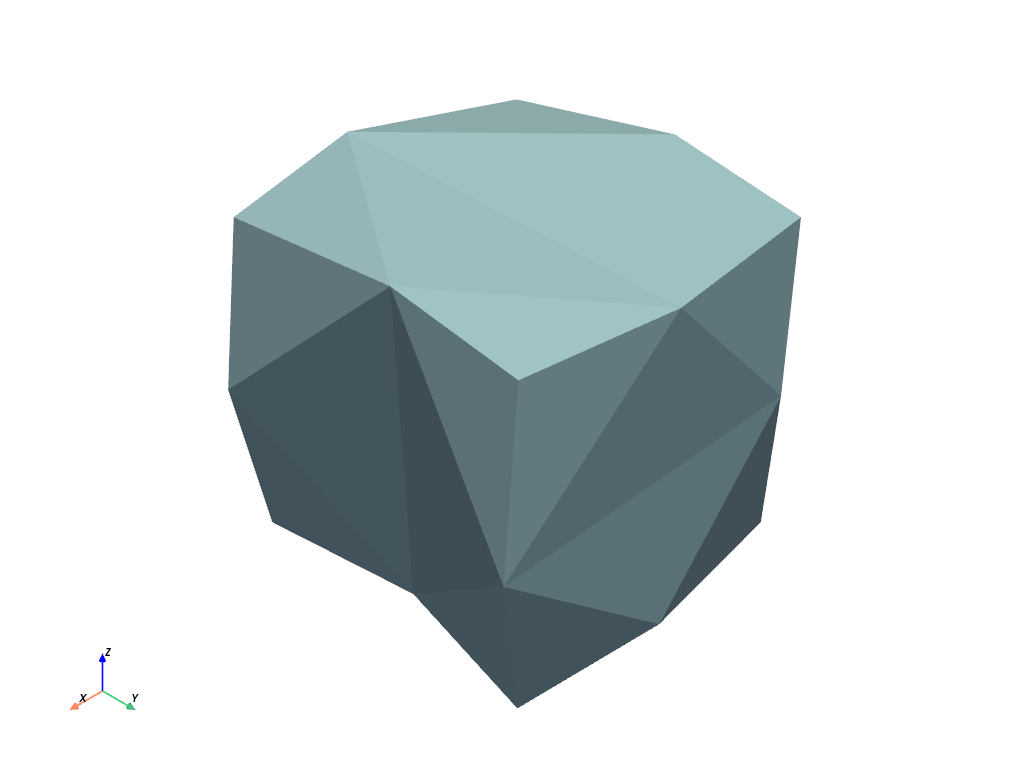
Finally, extract the surface and plot it.
Note that the 'dataset_surface' algorithm is necessary to use when generating
surfaces from non-linear cells. Setting algorithm=None also works.
surf = grid.extract_surface(algorithm='dataset_surface')
surf.plot(show_scalar_bar=False)
Nonlinear Surface Subdivision#
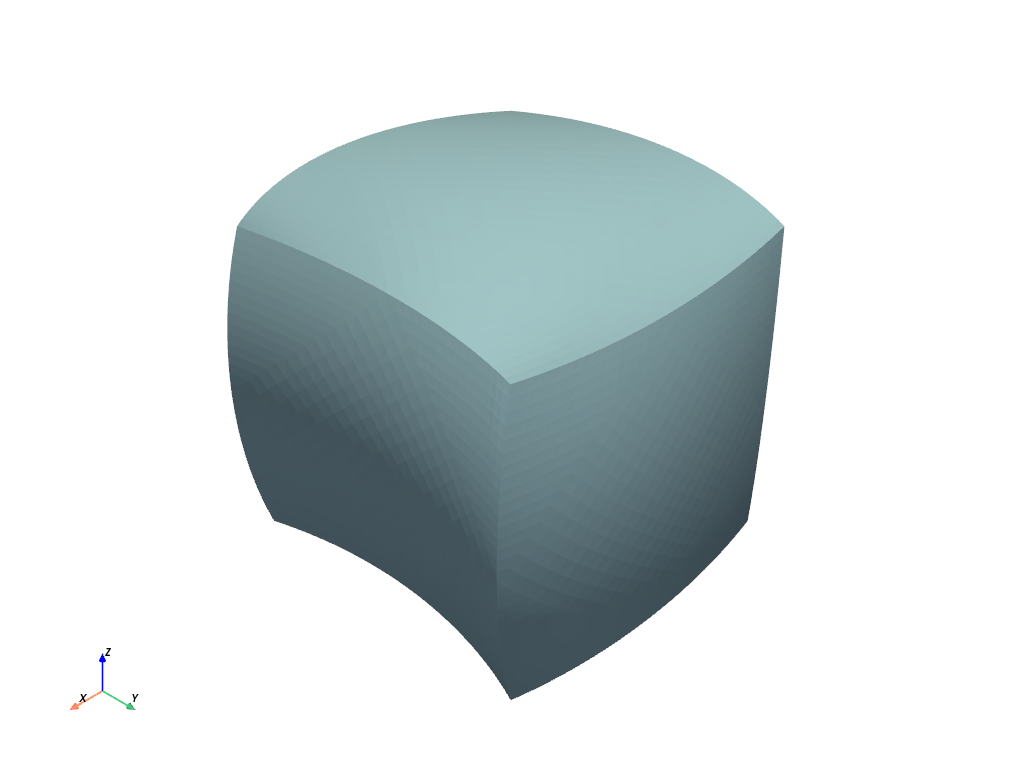
Should your UnstructuredGrid contain quadratic cells, you can generate a smooth surface based on the position of the “mid-edge” nodes. This allows the plotting of cells containing curvature. For additional reference, please see: https://www.osti.gov/biblio/919127
surf_subdivided = grid.extract_surface(
    algorithm='dataset_surface', nonlinear_subdivision=5
)
surf_subdivided.plot(show_scalar_bar=False)
Compare Surface Extraction Algorithms#
The filter extract_surface() provides the option to
select which internal VTK algorithm to use for surface extraction:
vtkGeometryFilter or vtkDataSetSurfaceFilter. Both algorithms produce
similar surfaces, but they differ in important ways. As the following examples will
demonstrate, it is generally preferable to use the geometry algorithm.
Structural Preservation#
The geometry algorithm preserves structure when converting between mesh types, whereas the dataset surface algorithm does not.
For example, let’s create a simple PolyData mesh using
Cone() and cast it to UnstructuredGrid.
If we convert it back to a surface, the geometry algorithm returns the original surface with the same order of points and the same cell connectivity arrays.
poly_geometry = ugrid.extract_surface(
    algorithm='geometry', pass_cellid=False, pass_pointid=False
)
assert poly_geometry == poly
But the dataset surface algorithm does not.
poly_surface = ugrid.extract_surface(
    algorithm='dataset_surface', pass_cellid=False, pass_pointid=False
)
assert poly_surface != poly
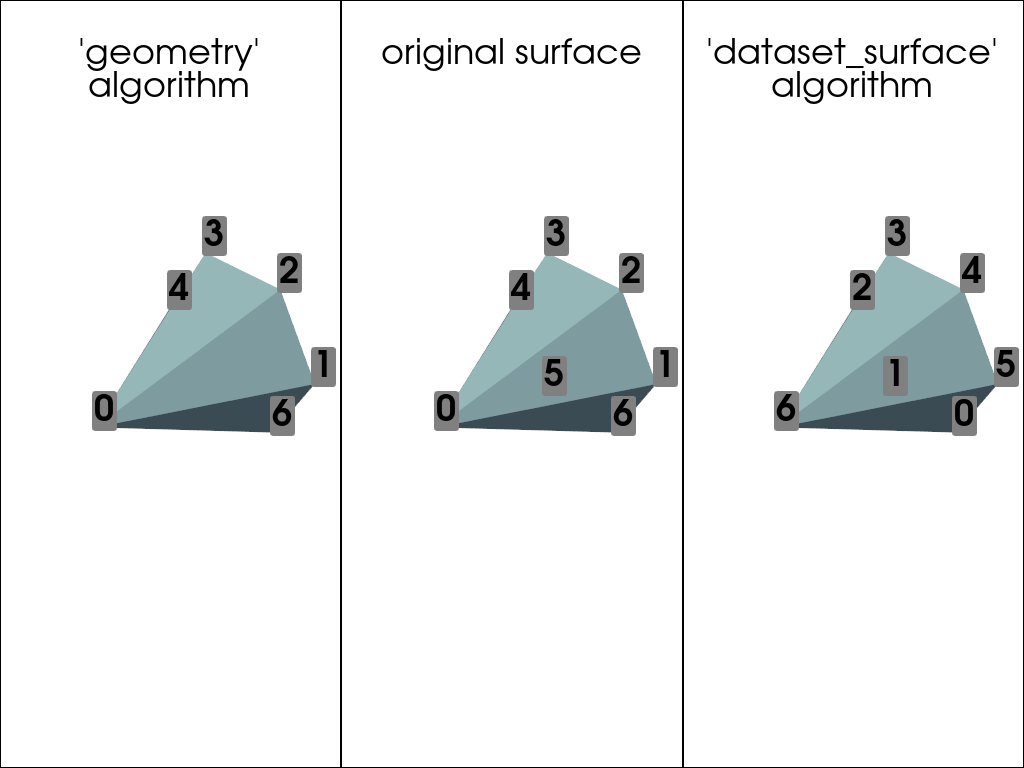
Compare the point ids of the original mesh to the generated surfaces.
pl = pv.Plotter(shape=(1, 3))

pl.subplot(0, 0)
pl.add_mesh(poly_geometry)
pl.add_title("'geometry'\nalgorithm", font_size=14)
pl.add_point_labels(poly_geometry, range(poly_geometry.n_points), font_size=36)

pl.subplot(0, 1)
pl.add_mesh(poly)
pl.add_title('original surface', font_size=14)
pl.add_point_labels(poly, range(poly.n_points), font_size=36)

pl.subplot(0, 2)
pl.add_mesh(poly_surface)
pl.add_title("'dataset_surface'\nalgorithm", font_size=14)
pl.add_point_labels(poly_surface, range(poly_surface.n_points), font_size=36)

pl.link_views()
pl.show()
Closed Surface Generation#
The geometry algorithm generates closed surfaces in cases where a closed surface is
expected, whereas the dataset surface algorithm may not. For example, extract the
surface of ImageData comprised of a single
VOXEL cell.
grid = pv.ImageData(dimensions=(2, 2, 2))
assert grid.n_cells == 1
assert grid.distinct_cell_types == {pv.CellType.VOXEL}
assert grid.max_cell_dimensionality == 3
Both algorithms convert the single 3D cell into a cube with six 2D
QUAD faces.
poly_geometry = grid.extract_surface(algorithm='geometry')
assert poly_geometry.n_cells == 6
assert poly_geometry.distinct_cell_types == {pv.CellType.QUAD}
assert poly_geometry.max_cell_dimensionality == 2

poly_surface = grid.extract_surface(algorithm='dataset_surface')
assert poly_surface.n_cells == 6
assert poly_surface.distinct_cell_types == {pv.CellType.QUAD}
assert poly_geometry.max_cell_dimensionality == 2
However, the geometry algorithm returns a closed surface with eight points and no open edges.
assert poly_geometry.n_points == 8
assert poly_geometry.n_open_edges == 0
In contrast, the dataset surface algorithm returns a surface with duplicate points and many open edges.
assert poly_surface.n_points == 24
assert poly_surface.n_open_edges == 24
This can be fixed with a call to clean(), however.
cleaned = poly_surface.clean()
assert cleaned.n_points == 8
assert cleaned.n_open_edges == 0
Note that a closed surface is important for some calculations. For example, the filter
select_interior_points() requires a closed surface by
default, and properties like volume assume the input is a
closed surface.
Total running time of the script: (0 minutes 0.460 seconds)
