ImageDataFilters.erode#
- ImageDataFilters.erode(
- kernel_size: int | VectorLike[int] = (3, 3, 3),
- scalars: str | None = None,
- *,
- binary: bool | VectorLike[float] | None = None,
- progress_bar: bool = False,
Morphologically erode grayscale or binary data.
This filter may be used to erode grayscale images with continuous data, binary images with a single background and foreground value, or multi-label images.
For binary inputs with two unique values, this filter uses vtkImageDilateErode3D by default to perform fast binary erosion over an ellipsoidal neighborhood. Otherwise, the slower class vtkImageContinuousErode3D is used to perform generalized grayscale erosion by replacing each pixel with the minimum over an ellipsoidal neighborhood.
Optionally, the
binarykeyword may be used to explicitly control the behavior of the filter.Added in version 0.47.
- Parameters:
- kernel_size
int|VectorLike[int], default: (3, 3, 3) Determines the size of the kernel along the xyz-axes. Only non-singleton dimensions are eroded, for example, a kernel size of
(3, 3, 1)and(3, 3, 3)produce the same result for 2D images.- scalars
str,optional Name of scalars to process. Defaults to currently active scalars.
- binarybool |
VectorLike[float],optional Control if binary erosion or continuous erosion is used.
If set, vtkImageDilateErode3D is used to strictly erode with two values. Set this to
Trueto erode the maximum value inscalarswith its minimum value, or set it to two values[background_value, foreground_value]to erodeforeground_valuewithbackground_valueexplicitly.Set this to
Falseto use vtkImageContinuousErode3D to perform continuous erosion.By default,
binaryisTrueif the input has two unique values, andFalseotherwise.Note
If the input is a binary mask, setting
binary=Trueproduces the same output asbinary=False, but the filter is much more performant.Setting
binary=[background_value, foreground_value]is useful to isolate the erosion to two values, for example, for multi-label segmentation masks.
- progress_barbool, default:
False Display a progress bar to indicate progress.
- kernel_size
- Returns:
pyvista.ImageDataDataset that has been eroded.
Notes#
This filter only supports point data. For inputs with cell data, consider
re-meshing the cell data as point data with
cells_to_points()
or resampling the cell data to point data with
cell_data_to_point_data().
Examples#
Download Python source code | Download Jupyter notebook
Create a toy example with two non-zero grayscale foreground regions
using pad_image().
>>> import pyvista as pv
>>> # Create an initial background point
>>> im = pv.ImageData(dimensions=(1, 1, 1))
>>> im['data'] = [0]
>>> # Add a foreground region
>>> im = im.pad_image(pad_value=255, pad_size=(4, 3), dimensionality=2)
>>> # Add a second foreground region
>>> im = im.pad_image(pad_value=128, pad_size=(2, 0, 1, 0))
>>> # Add background values to two sides
>>> im = im.pad_image(pad_value=0, pad_size=(1, 0))
Define a custom plotter to plot pixels as cells.
>>> def image_plotter(image):
...     pl = pv.Plotter()
...     pl.add_mesh(
...         image.points_to_cells(),
...         cmap='grey',
...         clim=[0, 255],
...         show_scalar_bar=False,
...         show_edges=True,
...         lighting=False,
...         line_width=3,
...     )
...     pl.camera_position = 'xy'
...     pl.camera.tight()
...     pl.enable_anti_aliasing()
...     return pl
Show the image.
>>> image_plotter(im).show()

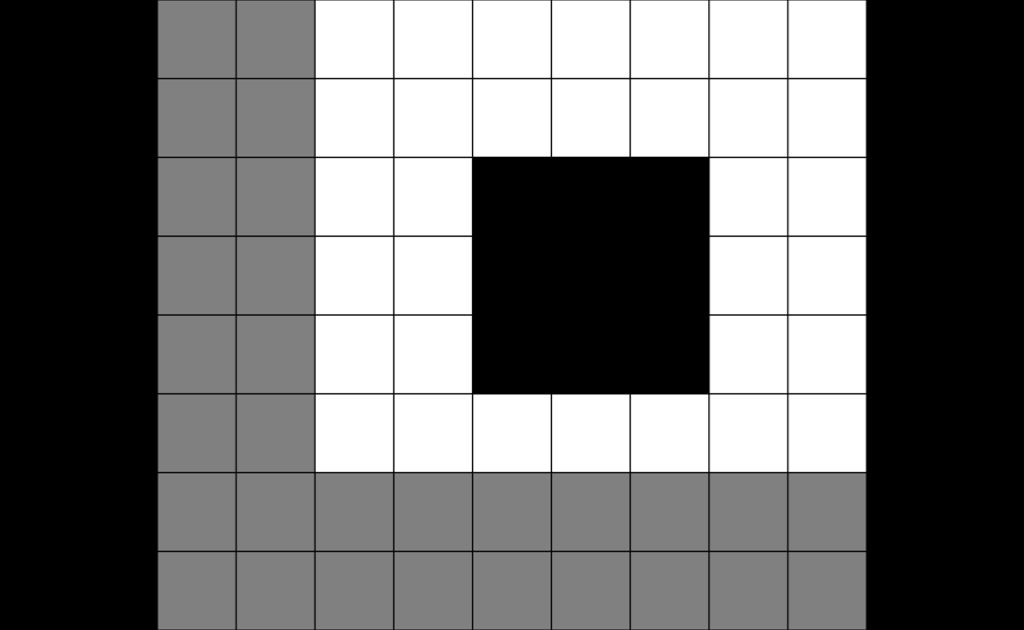
Erode it with default settings. Observe that both foreground values are eroded.
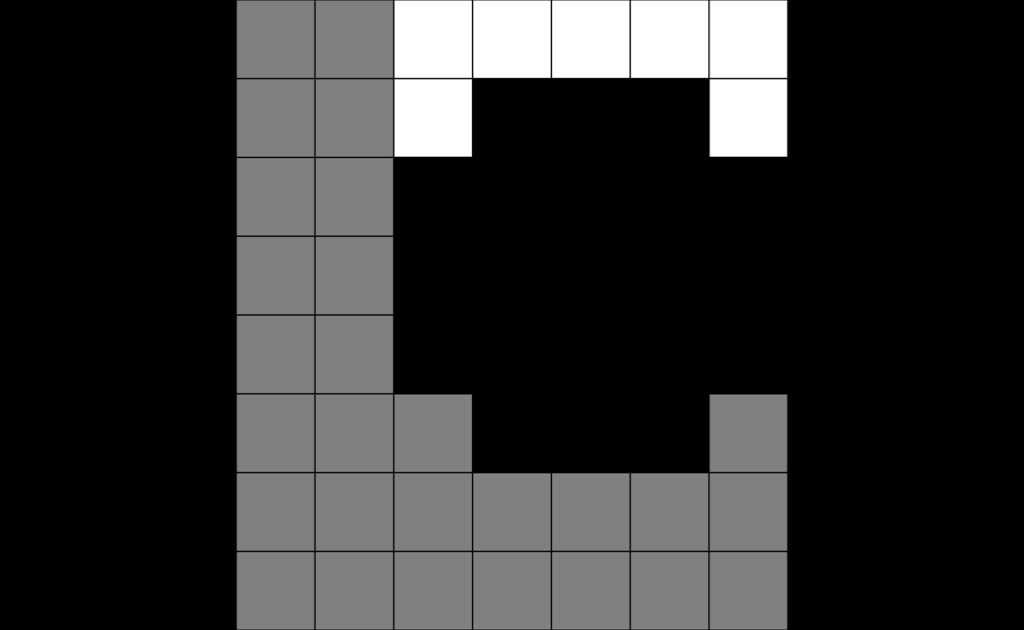
Use an asymmetric kernel.
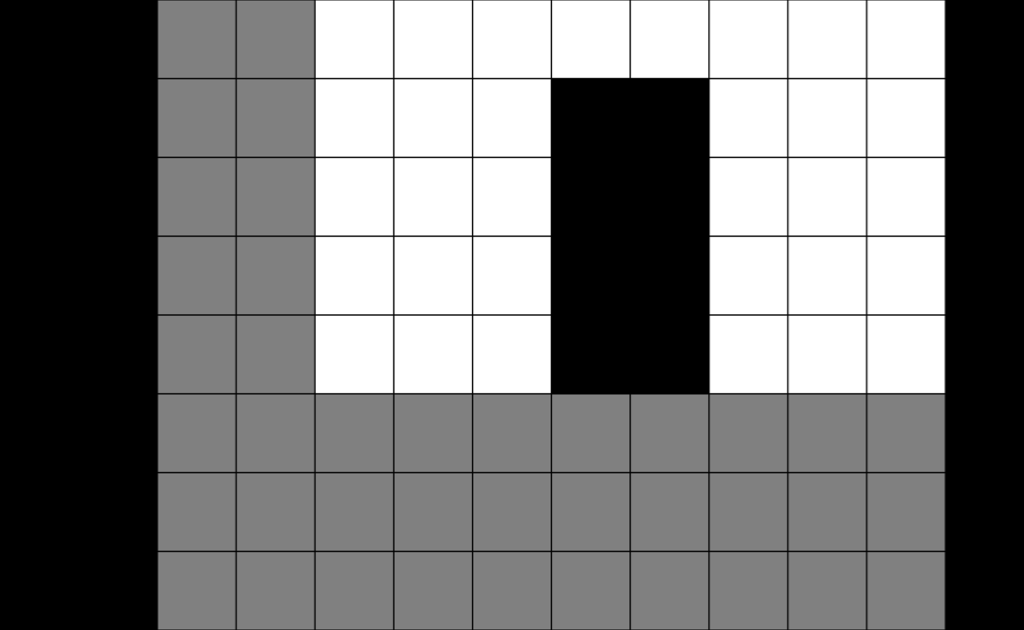
Use binary erosion. By default, the max value (255 in this example) is eroded
with the min value (0 in this example). All other values are unaffected.
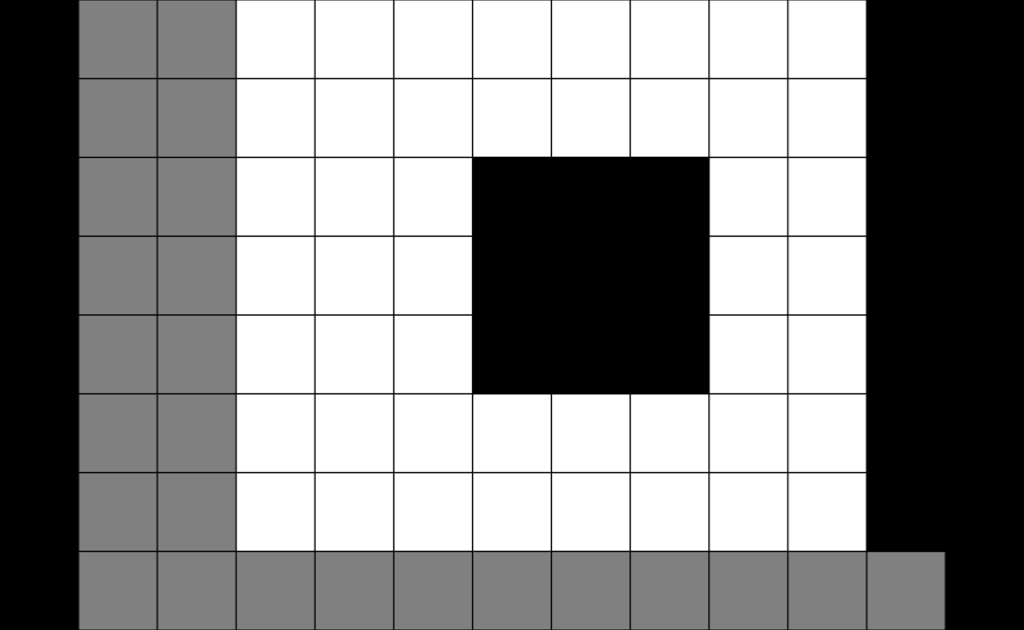
Equivalently, set the binary values for the erosion explicitly.
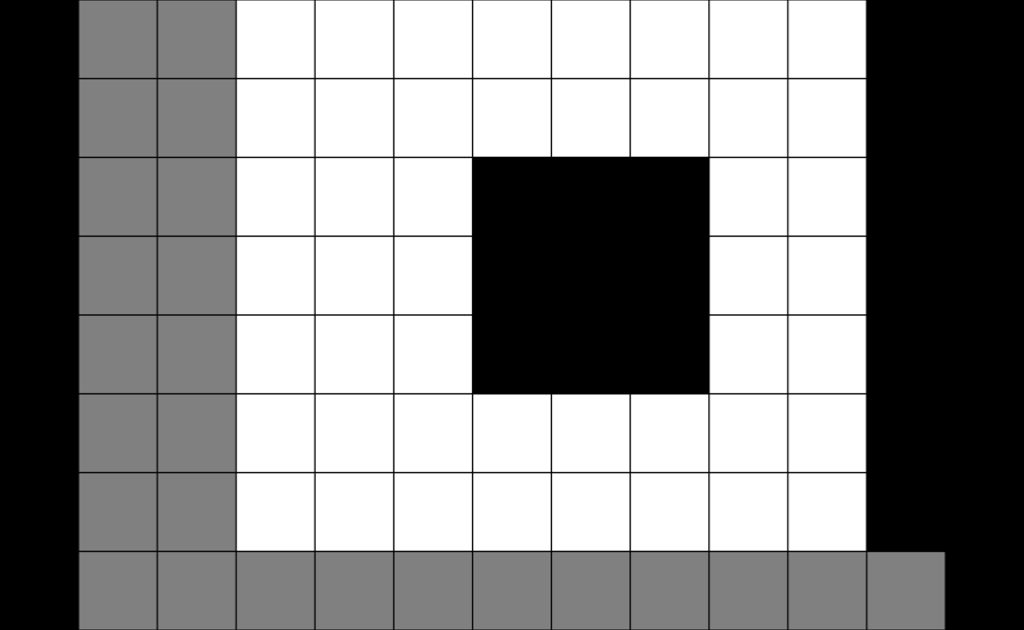
Use binary erosion with the other foreground value instead.