Highlight Nearest Neighbors in a Point Cloud#
Download Python source code | Download Jupyter notebook
Use find_closest_point() to inspect point-cloud neighborhoods.
import numpy as np
import pyvista as pv
from pyvista import examples
Load a Cosmological Point Cloud#
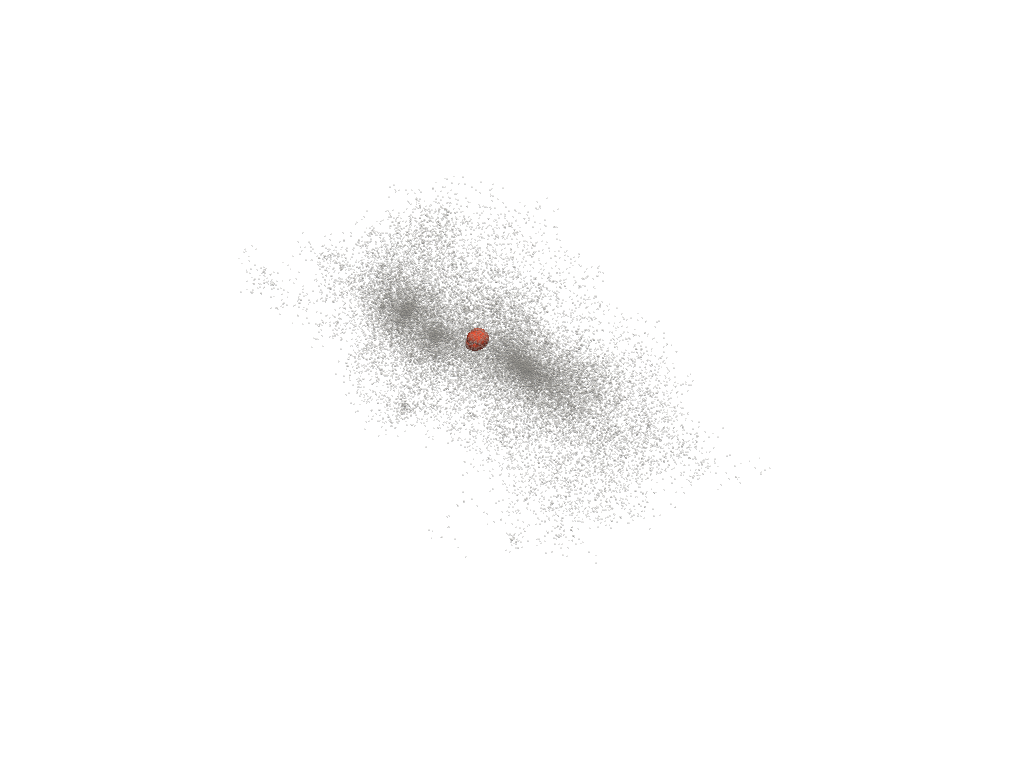
download_cloud_dark_matter() returns a
sampled N-body simulation. Pick a point near the middle of the cloud as
the query seed.
cloud = examples.download_cloud_dark_matter()
query = cloud.points[cloud.n_points // 2]

neighbor_ids = cloud.find_closest_point(query, n=40)
neighbors = pv.PolyData(cloud.points[neighbor_ids])

segments = np.vstack([np.vstack((query, point)) for point in neighbors.points])
connections = pv.line_segments_from_points(segments)

pl = pv.Plotter()
pl.add_points(
    cloud,
    color='lightgray',
    point_size=2,
    render_points_as_spheres=True,
    opacity=0.25,
)
pl.add_points(
    neighbors,
    color='tomato',
    point_size=14,
    render_points_as_spheres=True,
)
pl.add_points(
    np.array([query]),
    color='gold',
    point_size=18,
    render_points_as_spheres=True,
)
pl.add_mesh(connections, color='black', opacity=0.35)
pl.show()
Inspect the Neighbor Indices#
The returned indices index back into the original point array.
array([16157, 16214, 16219, 15837, 15971, 16032, 16119, 15994, 16103,
       15711, 16024, 16116, 16094, 13255, 16075, 16148, 16025, 15767,
       16133, 16028, 16171, 16019, 16095, 16007, 16130, 16090, 15973,
       16182, 16193, 16035, 16110, 16128, 16189,  7508, 15982, 16198,
       15979, 16153, 14661, 16204])
Total running time of the script: (0 minutes 0.327 seconds)
