Build a Ball-and-Stick Molecule#
Download Python source code | Download Jupyter notebook
Assemble a simple molecule from Sphere() atoms and cylinder bonds.
import numpy as np
import pyvista as pv
Define a Benzene Ring#
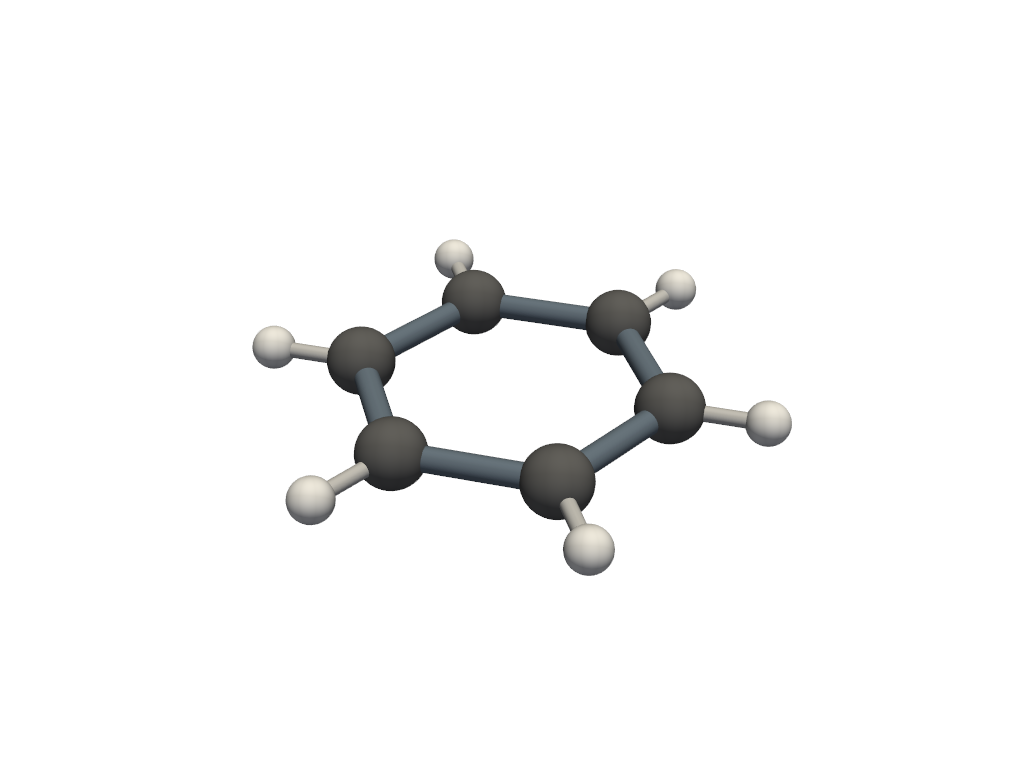
Place six carbons evenly around a circle with a hydrogen pointing radially outward from each one.
angles = np.linspace(0, 2 * np.pi, 6, endpoint=False)
carbons = np.column_stack((np.cos(angles), np.sin(angles), np.zeros(6)))
hydrogens = 1.6 * carbons


def make_bond(point_a: np.ndarray, point_b: np.ndarray, radius: float) -> pv.PolyData:
    """Create a cylinder between two atom centers."""
    direction = point_b - point_a
    return pv.Cylinder(
        center=(point_a + point_b) / 2,
        direction=direction,
        radius=radius,
        height=np.linalg.norm(direction),
    )


carbon_atoms = pv.merge([pv.Sphere(radius=0.22, center=center) for center in carbons])
hydrogen_atoms = pv.merge([pv.Sphere(radius=0.14, center=center) for center in hydrogens])

carbon_bonds = pv.merge(
    [
        make_bond(carbons[i], carbons[(i + 1) % len(carbons)], 0.08)
        for i in range(len(carbons))
    ],
)
hydrogen_bonds = pv.merge(
    [make_bond(carbons[i], hydrogens[i], 0.05) for i in range(len(carbons))],
)
Render the Molecule#
Atoms are rendered as spheres and bonds as cylinders, each with their own radius and color.
pl = pv.Plotter()
pl.add_mesh(carbon_bonds, color='slategray')
pl.add_mesh(hydrogen_bonds, color='lightgray')
pl.add_mesh(carbon_atoms, color='dimgray', smooth_shading=True)
pl.add_mesh(hydrogen_atoms, color='white', smooth_shading=True)
pl.show()
Total running time of the script: (0 minutes 0.175 seconds)
