Repair a Surface With fill_holes#
Download Python source code | Download Jupyter notebook
Seal small openings in a surface with pyvista.PolyDataFilters.fill_holes().
import numpy as np
import pyvista as pv
Punch Holes in a Closed Surface#
Start from a watertight Sphere(), then drop a handful of
faces to create three open holes of different sizes.
rng = np.random.default_rng(seed=0)
sphere = pv.Sphere(theta_resolution=60, phi_resolution=60).triangulate()

centers = sphere.cell_centers().points
seed_indices = [
    int(np.argmin(np.linalg.norm(centers - target, axis=1)))
    for target in [(0.5, 0.0, 0.0), (-0.3, 0.4, 0.1), (0.0, -0.4, -0.3)]
]
hole_sizes = [60, 25, 10]  # cells removed per hole, controls each hole's radius

drop_cells = set()
for seed, size in zip(seed_indices, hole_sizes, strict=True):
    candidates = np.argsort(np.linalg.norm(centers - centers[seed], axis=1))[:size]
    drop_cells.update(int(c) for c in candidates)

keep_mask = np.ones(sphere.n_cells, dtype=bool)
keep_mask[list(drop_cells)] = False
open_mesh = sphere.extract_cells(keep_mask).extract_surface(algorithm=None)
Highlight the Open Boundary Loops#
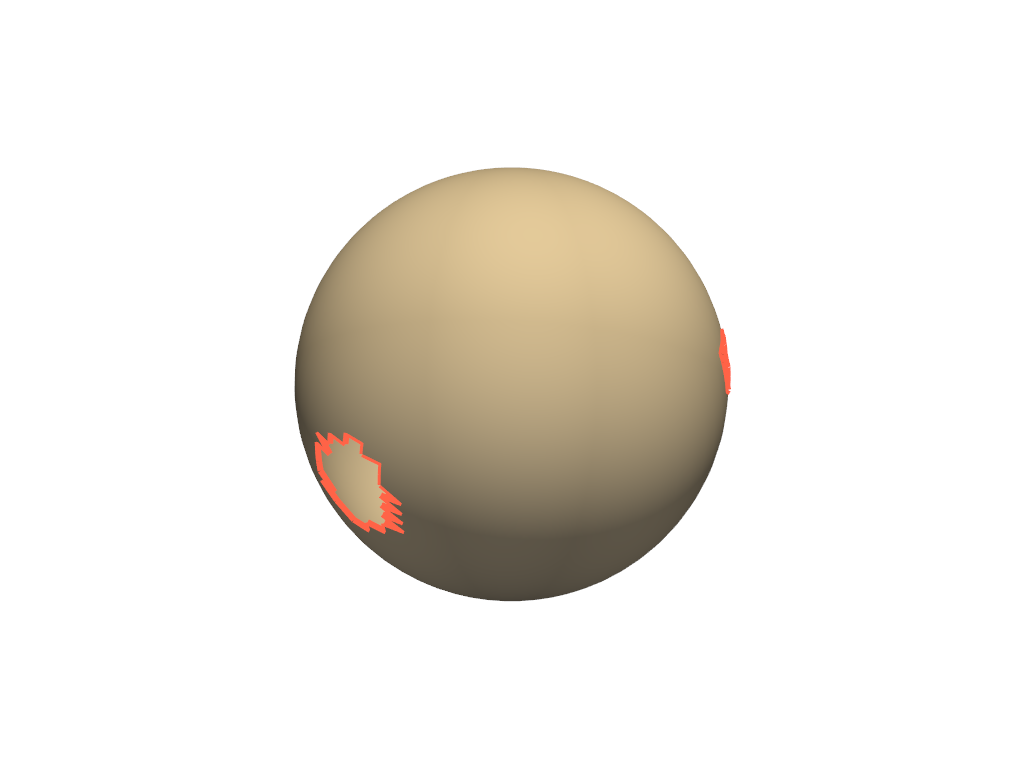
Extracting boundary edges traces the perimeter of every hole.
boundary = open_mesh.extract_feature_edges(
    boundary_edges=True,
    feature_edges=False,
    manifold_edges=False,
    non_manifold_edges=False,
)

pl = pv.Plotter()
pl.add_mesh(open_mesh, color='wheat', smooth_shading=True, show_edges=False)
pl.add_mesh(boundary, color='tomato', line_width=6)
pl.show()
Fill the Holes#
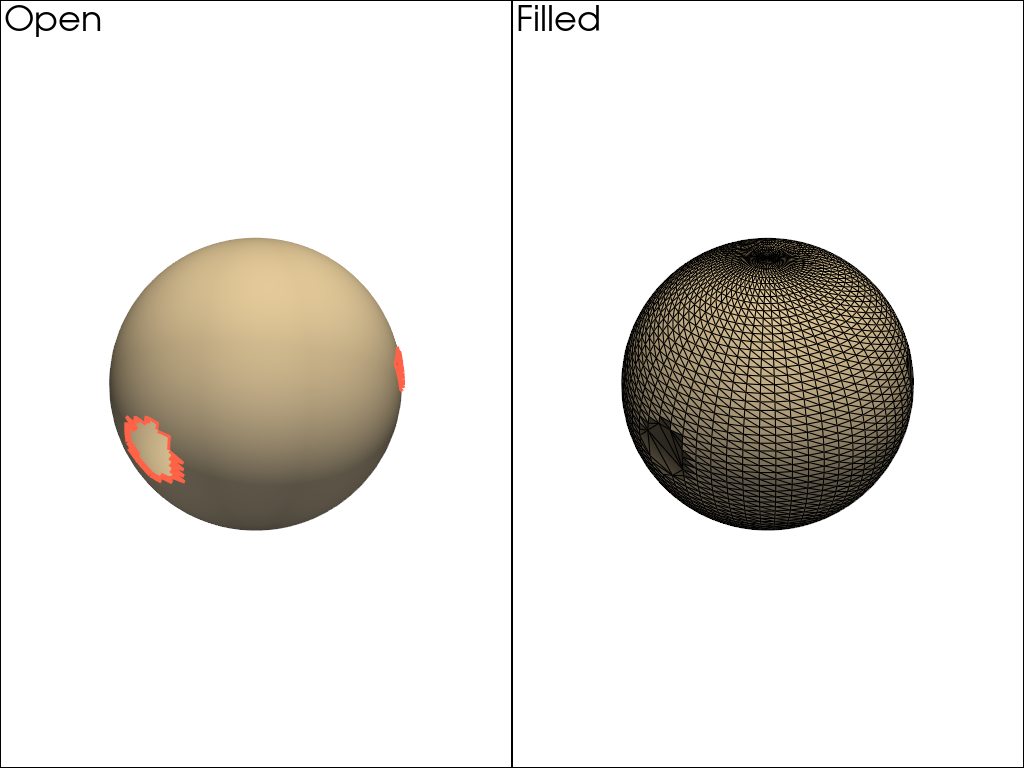
The hole_size argument bounds the largest opening that fill_holes
will close. Set it large enough to cover every loop you want to repair.
repaired = open_mesh.fill_holes(hole_size=1.0)
repaired_boundary = repaired.extract_feature_edges(
    boundary_edges=True,
    feature_edges=False,
    manifold_edges=False,
    non_manifold_edges=False,
)

pl = pv.Plotter(shape=(1, 2))
pl.subplot(0, 0)
pl.add_mesh(open_mesh, color='wheat', smooth_shading=True)
pl.add_mesh(boundary, color='tomato', line_width=6)
pl.add_text('Open', font_size=14)
pl.subplot(0, 1)
pl.add_mesh(repaired, color='wheat', smooth_shading=True, show_edges=True)
if repaired_boundary.n_cells:
    pl.add_mesh(repaired_boundary, color='tomato', line_width=6)
pl.add_text('Filled', font_size=14)
pl.link_views()
pl.show()
Confirm the Repair#
The filled surface has zero open edges, while the original had one loop per hole.
(55, 0)
Total running time of the script: (0 minutes 0.502 seconds)
